
For family and friends
Follow
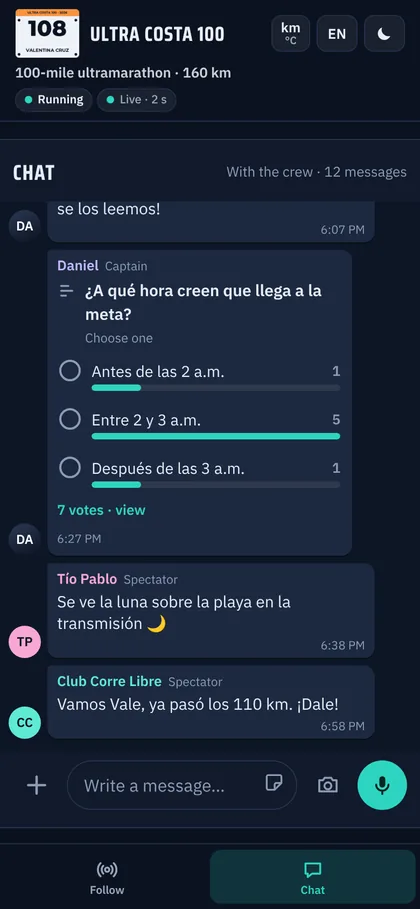
One link and that's it. A big map with the athlete and, below it, the essentials: time, pace, distance, estimated finish, heart rate, next stop and weather. With its own chat to send encouragement.
Race Control · by Team MOR.E
The dashboard we built to follow a 100-mile ultra mile by mile: GPS every 5 seconds on the course, telemetry, nutrition, weather and crew on one screen. Plus a link so your family and friends can follow you in real time on their phones.
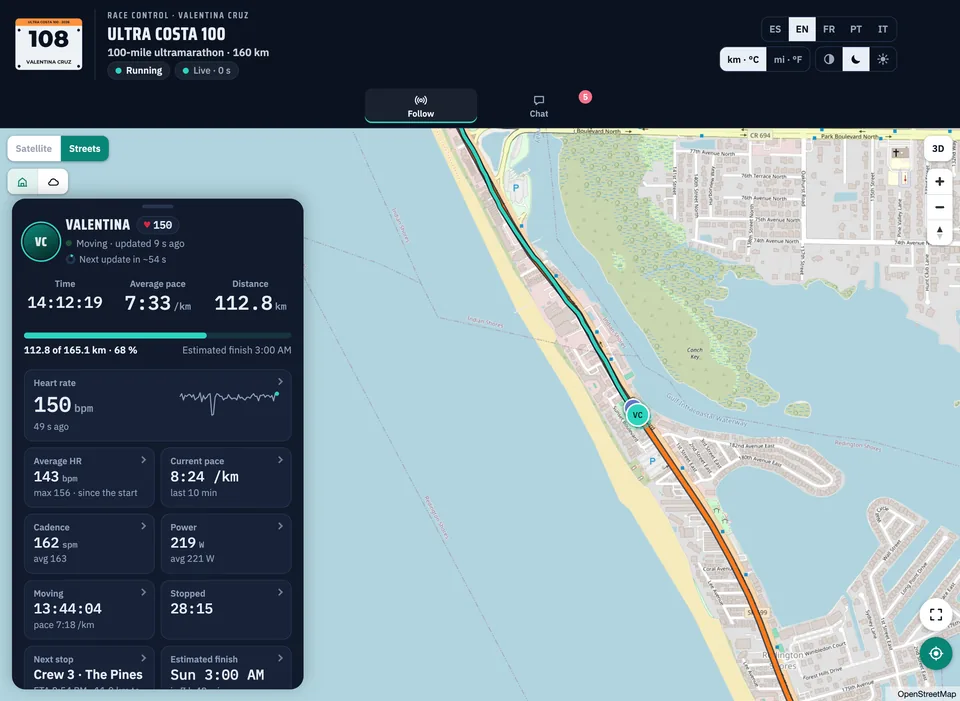
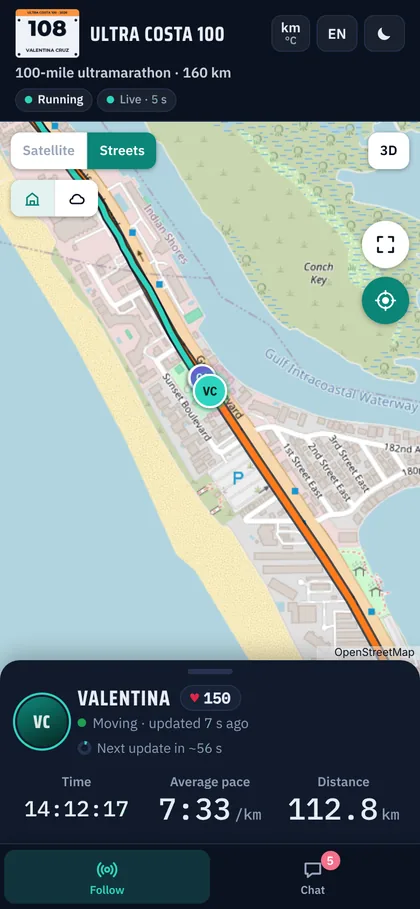
Screens from a simulated race, with fictional names.
One dashboard, two views
Everything lives in one web dashboard: nothing to install, and it works on an iPad, a phone or a computer.
For family and friends
One link and that's it. A big map with the athlete and, below it, the essentials: time, pace, distance, estimated finish, heart rate, next stop and weather. With its own chat to send encouragement.
For the crew
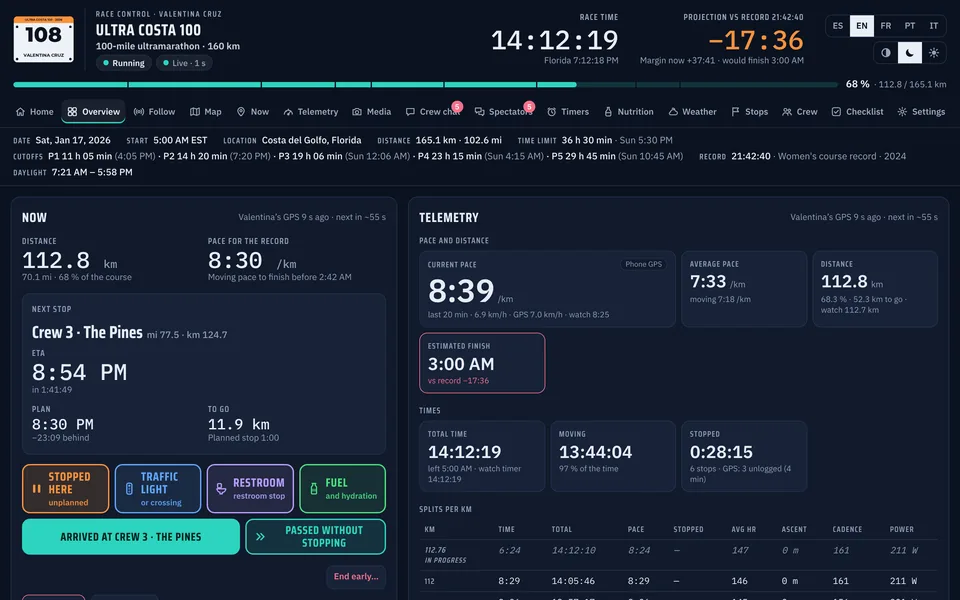
Mission control: where everyone is, the next stop and when the athlete gets there, cutoffs, plan and record, nutrition, timers, batteries and the race log. What one person logs, everyone sees instantly.
Features
GPS every 5 seconds snapped to the course, off-course alerts and automatic arrivals. Streets, satellite, 3D and a 3D flyover.
Like the tracking apps of sports watches, but with the whole dashboard: time, pace, distance, ETA, HR, cadence, power, weather and battery.
Phone, watch and heart rate strap. The dashboard uses the most reliable source with fresh data and, if one goes quiet, switches to the next.
Splits per kilometer or mile, a pace chart against the plan and the record, projected finish, cutoffs and time limit.
Carbs, fluids, sodium and caffeine per hour against the target. One tap logs the intake and restarts its timer.
Roles, pacer shifts under the race rules, each person's rest, food and water, and who is on foot, on a bike or in the car.
Hydration, food, meds or gear changes, by total time, moving time or distance. With a stopwatch and a world clock.
Hourly forecast at each aid station for the time the athlete will get there, plus official weather alerts.
Voice messages, photos, polls and GIFs. Encouragement from family reaches the crew so they can read it to the athlete.
Restrooms, water, pharmacies and food along the course, showing what's open when the athlete passes. And the crew's photos and videos, where they were taken.
Guided wrap-up, a printable report and every data point in PDF, Excel and GPX. With race history and a training mode.
Everyone gets their own code and permissions. It installs like an app, keeps what's logged without signal and syncs when it's back.
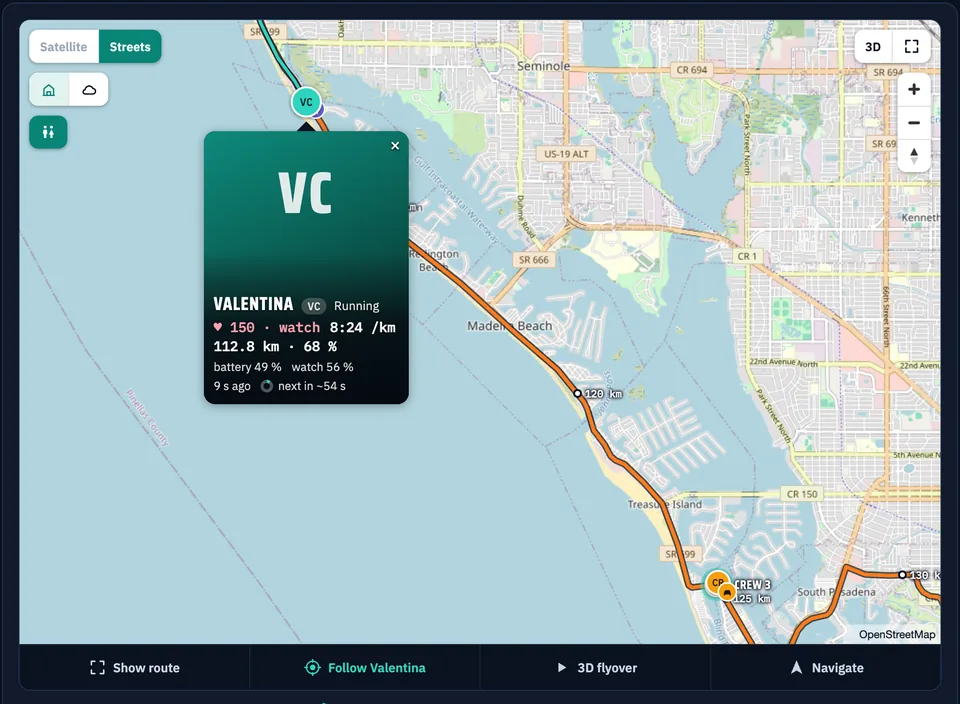
Map
The athlete, the pacers and the crew car on the same map, with battery, speed and how long ago the last update came in. Aid stations with their estimated times, and distance markers along the course.
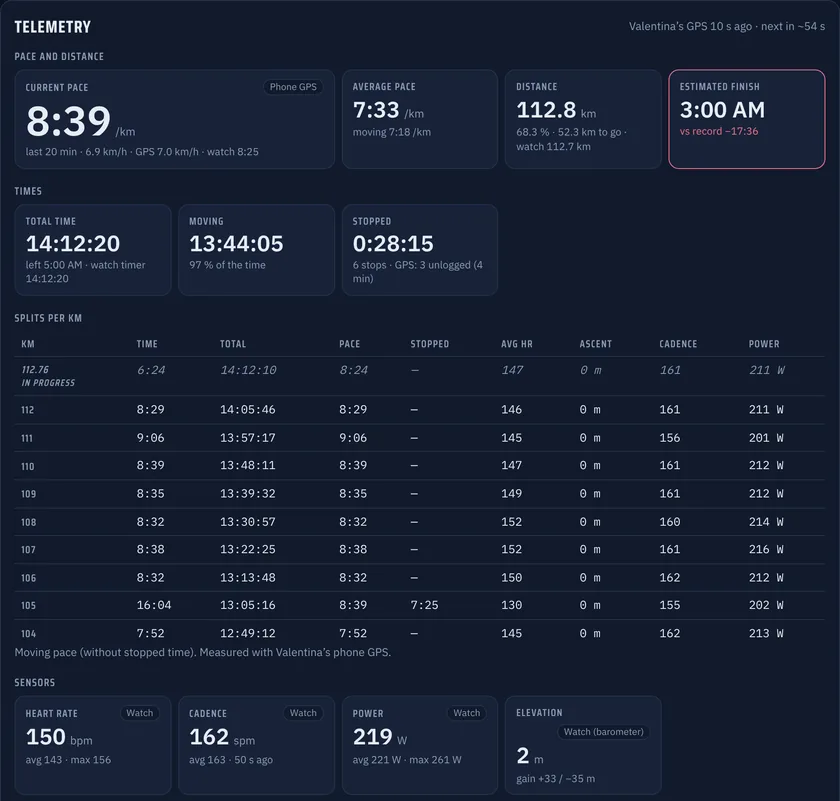
Telemetry
Current and average pace, moving and stopped time, splits, heart rate, cadence, power and altitude. Every value says which device it came from and when.
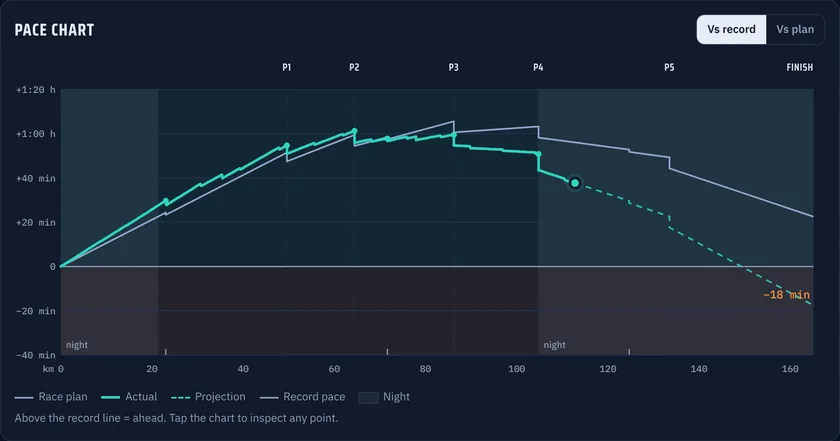
Plan and record
The pace chart compares the real race with the plan and with the record, marks the night and projects the finish from the race so far.
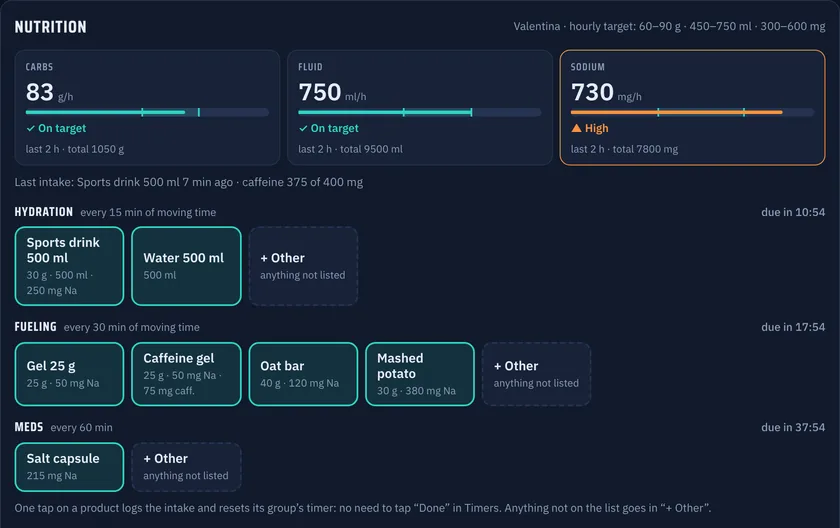
Nutrition
Each intake with its carbs, fluids, sodium and caffeine. The dashboard adds it up per hour, compares it with the target and flags when the next one is due.
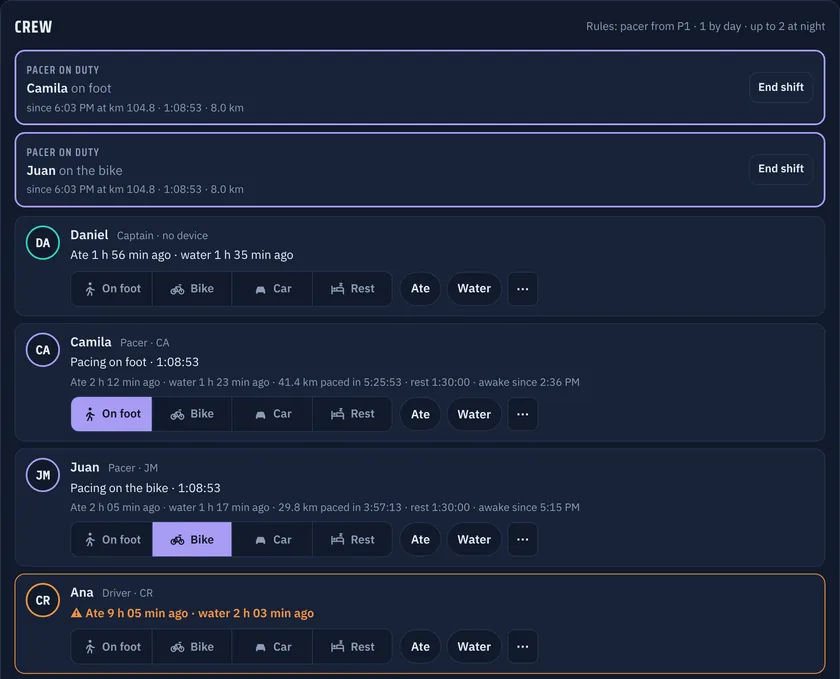
Crew
Pacer shifts with their distance, who has eaten, who has had water and who is resting. Nobody on the team gets left behind in a race that lasts more than 20 hours.
And more
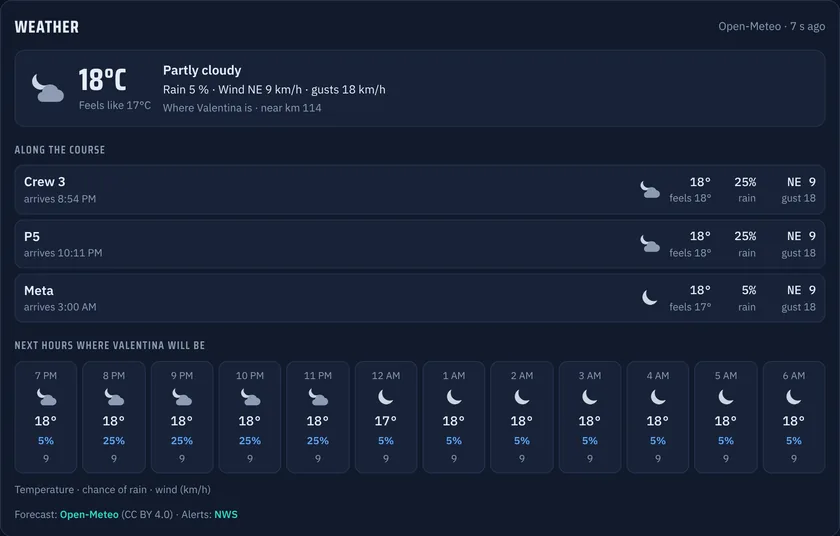
Weather at each aid station
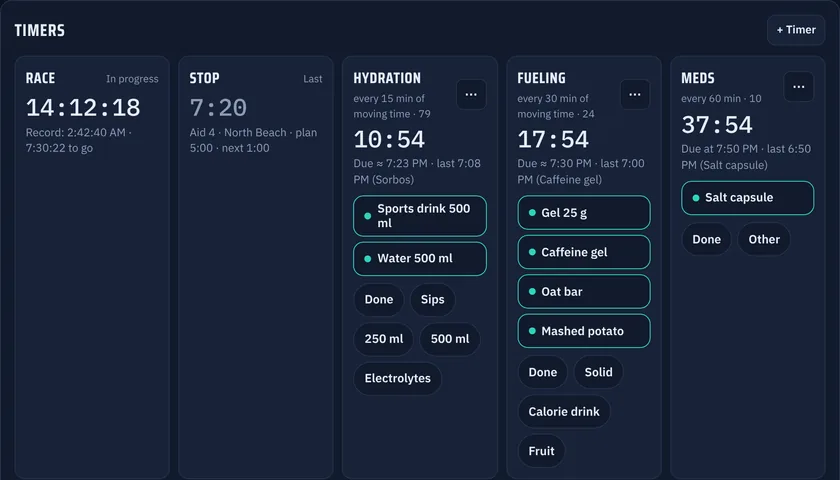
Crew timers
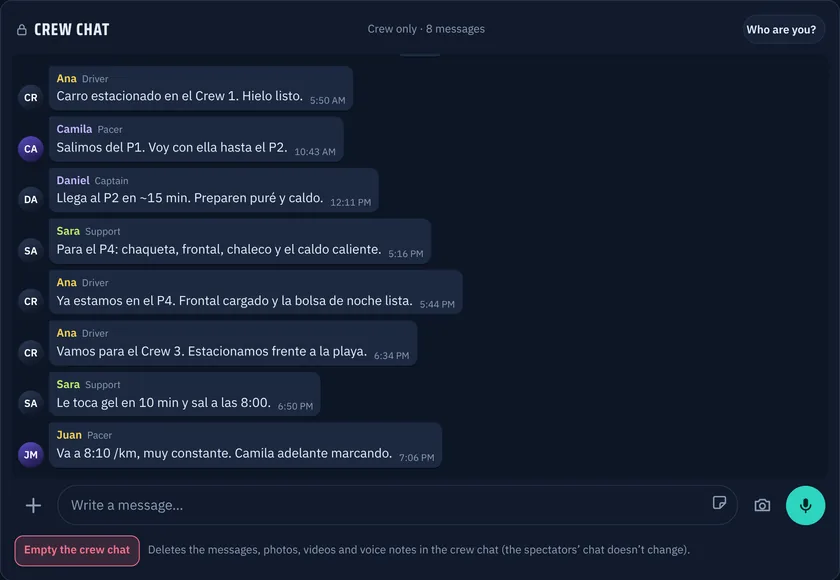
Crew chat
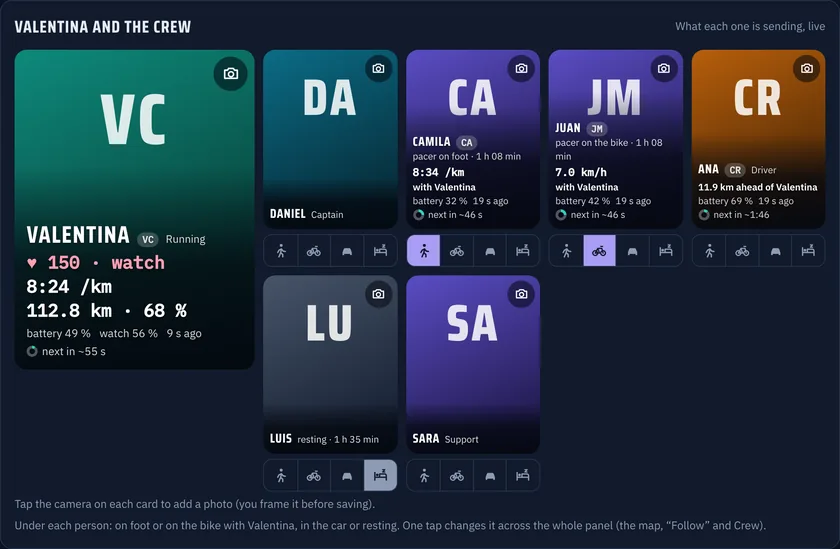
The athlete and crew, live
How it works
We load the course (GPX), aid stations, cutoffs and your pacing and nutrition plan. Plus the crew, with their roles and access.
Your phone sends the GPS; the watch and the strap send heart rate and the rest. The crew uses the dashboard on an iPad, a phone or a computer.
The crew runs Race Control and your people follow you with a link. If someone loses signal, the dashboard keeps everything and syncs later.
A summary, a printable report and all the data in Excel and GPX to analyze the race and get ready for the next one.
Today · what's next
Today
We set up Race Control for your race, your team or your event: your course, your brand and your crew. We're with you before, during and after the race.
Let's talkComing soon
We're turning the dashboard into our own subscription product for any endurance athlete or team. Write to us if you'd like to be among the first to try it.
Contact
Tell us about your race or your project and we'll get back to you soon.
You can also write to info@teammore.co